SVICLOUD 小雲盒子的內置儲存空間管理技巧 | Storage Management Tips for SVICLOUD TV Box's Built-in Storage
TV boxes, such as the SVICLOUD 8P and SVICLOUD 3 PRO, are equipped with large memory storage, providing ample space for storing your favorite content. However, efficient management of the built-in storage is essential to ensure optimal performance and prevent storage-related issues. In this blog post, we will explore some useful storage management tips for your TV box.
電視盒子,例如SVICLOUD 9P, SVICLOUD 8P和SVICLOUD 3 PRO,配備了大容量的內置儲存空間,提供充足的空間來存儲您喜愛的內容。然而,我們也是能好好管理電視盒子的儲存空間的。高效管理內置儲存空間對於確保最佳性能並防止與儲存空間相關的問題至關重要。在本篇網誌中,我們將探討一些有用的電視盒子儲存空間管理技巧。
Remove Unnecessary Files and Apps 刪除不必要的文件和應用程式
Regularly review and clean up your TV box's storage by removing unnecessary files and apps. Over time, cached files, temporary files, and unused applications can accumulate and take up valuable storage space. Go through your installed apps and delete the ones you no longer use. This will help free up space and improve overall performance.
定期檢查並清理盒子的儲存空間,刪除不必要的文件和應用程式。隨著時間的推移,緩存文件、臨時文件和未使用的應用程式可能會累積並佔用寶貴的儲存空間。檢查已安裝的應用程式,刪除您不再使用的應用程式。這將有助於釋放空間並改善整體性能。
Organize Your Files and Media 組織您的文件和媒體
To efficiently manage your TV box's storage, organize your files and media into separate folders or categories. This makes it easier to locate specific content and prevents cluttering the storage with scattered files. Consider creating folders for movies, TV shows, music, and photos. You can also use file manager apps to help you organize and categorize your files effectively.
為了有效管理電視盒子的儲存空間,將您的文件和媒體組織到單獨的文件夾或分類中。這樣可以更輕鬆地找到特定的內容,並防止儲存空間被分散的文件混亂。考慮創建電影、電視節目、音樂和照片文件夾。您還可以使用文件管理器應用程式來幫助有效地組織和分類您的文件。
Utilize External Storage 利用外部儲存
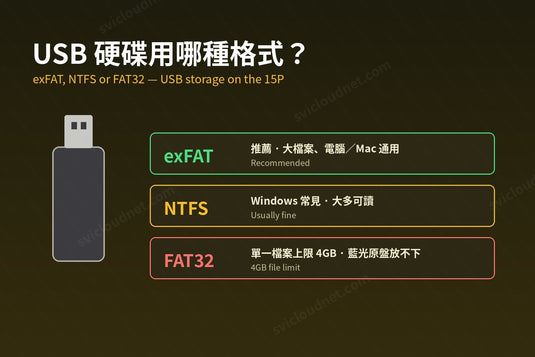
If you find that the built-in storage of your TV box is running low, consider using external storage options. TV boxes support USB ports, allowing you to connect external hard drives or USB flash drives to expand your storage capacity. This is especially useful for storing larger files such as high-definition movies or TV series. By utilizing external storage, you can keep your built-in storage free for essential system files and frequently accessed content.
如果您發現電視盒子的內置儲存空間不足,可以考慮使用外部儲存選項。電視盒子支援USB端口,可以連接外部硬碟或USB閃存驅動器來擴展儲存容量。這對於存儲高清電影或電視劇等較大文件特別有用。通過利用外部儲存,您可以將內置儲存空間留給重要的系統文件和經常訪問的內容。
Clear Cache and Temporary Files 清除緩存和臨時文件
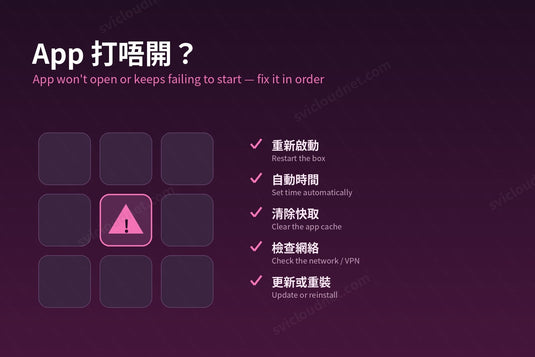
Cache and temporary files can accumulate over time and take up valuable storage space. To free up storage on your TV box, regularly clear the cache and temporary files generated by apps and the system. You can do this by going to the settings menu and finding the storage or app management options. Look for the cache or temporary files section and clear them to reclaim storage space.
隨著時間的推移,緩存和臨時文件會累積並佔用寶貴的儲存空間。為了釋放電視盒子上的儲存空間,定期清除應用程式和系統生成的緩存和臨時文件。您可以通過進入設定選單並找到儲存或應用程式管理選項來執行此操作。尋找緩存或臨時文件部分,然後清除它們以釋放儲存空間。
Note: You can install a third-party application to watch, the box does not have an application built in.
注意:由於不同國家的法例規定,原裝正貨的盒子內不會預設任何影視app,請自行按需要選擇並安裝。
SVICLOUD 9P 小雲電視機頂盒 9P


延伸閱讀 / Related Reading
支援與教學 / Support & Guides
- 查詢訂單 — Track Your Order(輸入訂單編號即可查看物流狀態 / live carrier status)
- 小雲盒子完整安裝教學 — Complete Setup Guide
- 問題排解 — Troubleshooting
- 產品常見問題 — Product FAQs
- 售後服務與保固 — After-Sales & Warranty